The Web Security Mistakes Everyone Makes: From IDOR to Mass Assignment in Laravel
Changing a number in a URL exposes another customer's data: this is IDOR, the top cause of data leaks. A practical defensive guide to the most dangerous web vulnerabilities in Laravel, with real 'vulnerable/fix' examples.
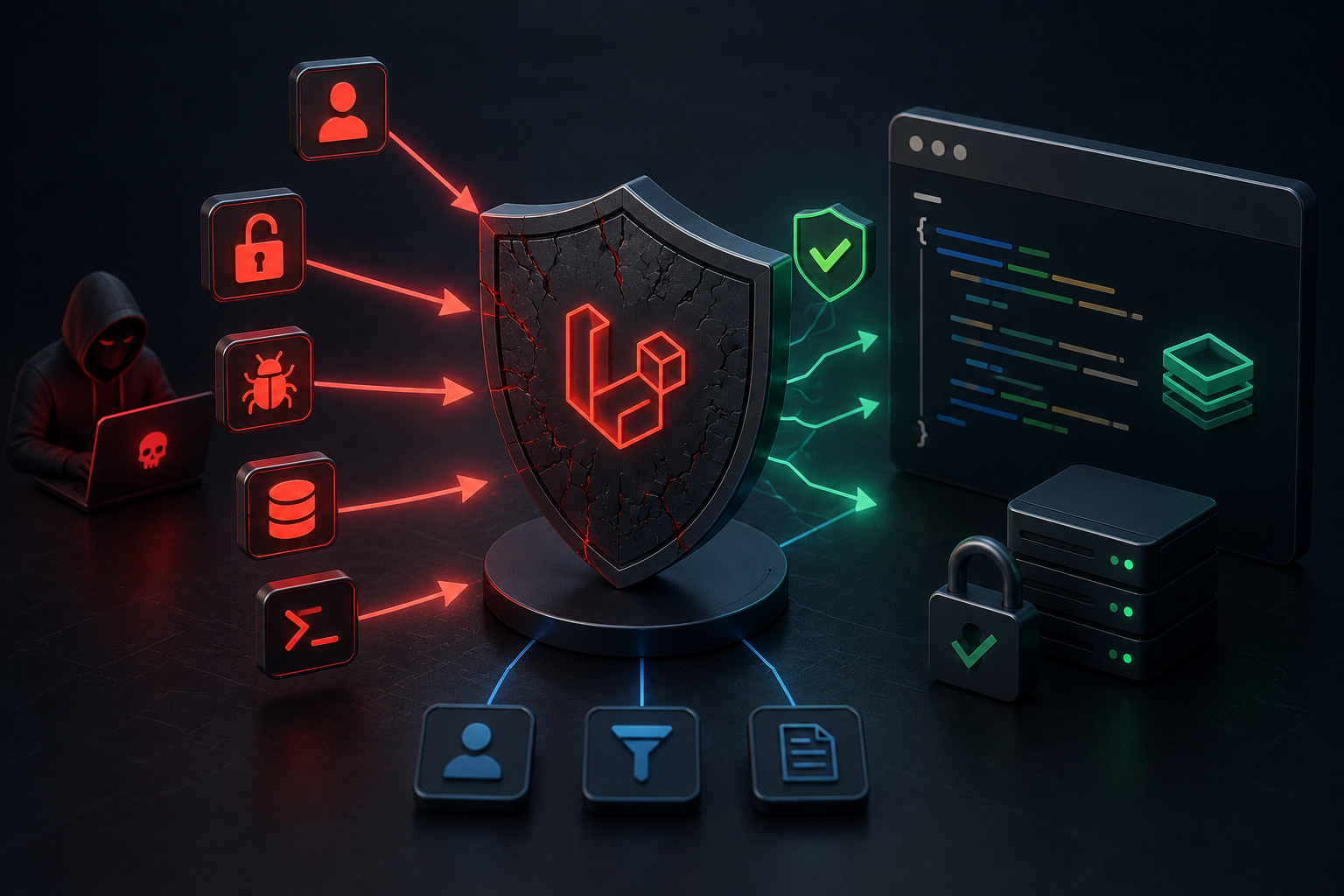
An ordinary user opens their invoice at the URL /invoices/1043. Out of curiosity, they change the number to 1042, and another customer's entire invoice appears: their name, their amount, their details. They hacked nothing, used no tool, just changed a number in the address bar. This is an IDOR vulnerability, today the most common cause of data leaks in web applications — more than SQL injection and XSS combined in the SaaS context. What's troubling is that it does not result from "complex" code, but from the absence of a single verification line. Let's review the most dangerous web vulnerabilities everyone falls into, with real Laravel examples, each with its fix.
First: IDOR — When You Verify Identity and Forget Ownership
The essence of IDOR (short for "Insecure Direct Object Reference") is a simple logical mistake: your app verifies the user is "logged in," but does not verify they "own" the resource they request. In Laravel, its most famous form is "Route Model Binding" without authorization:
// Vulnerable: returns the invoice to any logged-in user, even if they don't own it
Route::get('/invoices/{invoice}', function (Invoice $invoice) {
    return view('invoices.show', compact('invoice'));
})->middleware('auth');
The auth middleware ensures the user is logged in, but never checks ownership. The fix is to bind the query to the current user, or use a Policy:
// Fix 1: constrain the query to the owner from the start
Route::get('/invoices/{invoice}', function (Invoice $invoice) {
    abort_if($invoice->user_id !== auth()->id(), 403);
    return view('invoices.show', compact('invoice'));
})->middleware('auth');

// Fix 2 (cleaner): a Policy separating authorization logic
// Inside InvoicePolicy
public function view(User $user, Invoice $invoice): bool
{
    return $user->id === $invoice->user_id;
}
// In the controller
$this->authorize('view', $invoice);
An important note: using UUIDs instead of sequential numbers makes guessing harder, but does not prevent IDOR. If the identifier leaks (via an email, a log, or another API response), the resource stays exposed unless you verify ownership. A hard identifier is not a substitute for authorization.
Second: Mass Assignment — Injecting Hidden Fields
Imagine a profile-update endpoint that takes all inputs at once:
// Vulnerable: accepts any field the user sends
public function update(Request $request)
{
    auth()->user()->update($request->all());
    return back();
}
The problem is that the users table may contain a column like is_admin or role or balance. Nothing stops an attacker from sending an extra field in the request you never meant to allow:
// Attack: the user sends an extra field in the request body
// POST /profile
// { "name": "Ahmed", "is_admin": true }
// Result: the user becomes an admin! (privilege escalation)
Laravel provides default protection via the model's fillable and guarded properties, but the more robust solution is not to trust inputs at all: validate them explicitly and allow only the intended fields:
// Fix: explicit validation, only the allowed passes
public function update(Request $request)
{
    $validated = $request->validate([
        'name' => 'required|string|max:255',
        'email' => 'required|email',
    ]);
    auth()->user()->update($validated);
    return back();
}

// And in the model: declare only the fillable fields
class User extends Model
{
    protected $fillable = ['name', 'email'];
}
The rule: sensitive fields (is_admin, role, balance, email_verified) must never be mass-fillable. Use fillable (an allowlist) not guarded (a denylist), because explicit allowing is safer than denying, since someone always forgets to add a new field to the denylist.
Third: SQL Injection Through a Back Door — The Order Column
"But Eloquent protects me from SQL injection!" True for typical queries, but there is a door many overlook: column names. Value binding does not cover column names, making an ordering that depends on user input dangerous:
// Vulnerable: the order column comes straight from the user
$users = User::query()
    ->orderBy($request->input('sortBy'))
    ->get();
// An attacker may pass a malicious expression instead of a column name
The fix is to verify the column is within an explicit allowlist:
// Fix: constrain the value to an allowed column list
$request->validate([
    'sortBy' => 'in:name,created_at,email',
]);
$users = User::query()
    ->orderBy($request->validated()['sortBy'])
    ->get();
The broader rule: whenever user input enters the "structure" of the query (a column name, a sort direction) rather than its "value," you are responsible for validating it with an allowlist, because value binding will not save you.
Fourth: Misconfiguration — The Most Neglected Danger in Production
Per recent security analyses, "misconfiguration" is the most common issue in real-world Laravel apps, and the most dangerous of all is enabling debug mode in production. Keeping APP_DEBUG=true exposes sensitive details on errors, and has historically been linked to serious remote-code-execution vulnerabilities (like a CVE in the Ignition error page). The decisive rule before any deployment:
# In the .env file in production
APP_DEBUG=false
APP_ENV=production
Also under misconfiguration: leaking the .env file, exposing development tools (Telescope and Horizon) to the public, and the absence of rate limiting on sensitive entry points like login. Apply attempt limiting to prevent brute-force attacks:
// Rate limit: 5 attempts per minute on login
Route::post('/login', [AuthController::class, 'login'])
    ->middleware('throttle:5,1');
A Thread Connecting Them All: Don't Trust Input, Verify Authorization
If you contemplate the four vulnerabilities, you'd find they share one root: implicit trust in what the user sends. IDOR trusts that the identifier belongs to its owner, mass assignment trusts that the fields are innocent, order injection trusts that the column is valid, and misconfiguration trusts that the environment is safe by default. All defense stems from reversing this trust: explicitly validate every input, and check ownership and authorization on every access to a resource.
The practical rule that sums up all of the above: security is not a feature added at the end, but a discipline accompanying every line. Laravel is "secure by default," but its defaults only protect you when used consciously; most breaches are not flaws in the framework, but in how we use it. Make input validation and authorization a habit, not an exception, add composer audit and static analysis tools (PHPStan) to your workflow, and review your models for exposed sensitive fields. Whoever builds with this awareness does not wake up to a "our customer data leaked" message — because they closed the doors before anyone knocked.
Was this article helpful?
Newsletter
Enjoyed this?
Subscribe and get every new article and news post straight to your inbox.